GP-ENGINE NRP and K8s Tutorial Logistics - Kansas State University
Overview
This workshop will give researchers a hands-on introduction to leveraging the large distributed computing resources available through the National Research Platform (NRP). Researchers will learn how to migrate an AI/ML workflow from their local computer or HPC Cluster to the NRP. By accessing Nautilus, you can gain access to a vast array of cutting-edge GPUs, ideal for facilitating AI research and accelerating your research.
When: March 9, 2026 12:00pm-3:30pm
Learning Objectives:
- Kubernetes Architecture and Concepts
- Hands-on with Nautilus HyperCluster
- Deploying Pods and Jobs in Kubernetes using Nautilus
- Deploying Scikit Learn ML Jobs to Kubernetes
- Deploying GPU Jobs to Kubernetes for Training Computer Vision Models
- Scaling Computer Vision Models on Kubernetes with Job Automation
These sessions will be delivered in an in-person format:
- In-Person: Ackert Hall 219 @ Kansas State University
Setup
Sticky Notes and Reactions
Throughout the workshop, we will use sticky notes to indicate status. These help instructors and helpers in the workshop assist with various issues and provide formative feedback during the workshops.
Please make sure the sticky note is visibly on both the front and back of your laptop
- Yellow Sticky Note: All good to go
- Red Sticky Note: I need help or I am not ready to continue
Sign in and complete form
You must sign-in AND copy and paste your email
In order for you to be added to the training group's namespace, your email MUST match what the NRP sees. This is case sensitive!
You must also sign into NRP to have your email as a valid account with NRP. You do not need to create an additional account as authentication is handled with your university system.
If you do not sign-in, your university email will not be registered with the NRP and may prevent participation in the training.
Please select your campus. If your campus is not available, then you can use Google or Microsoft.
-
Sign into NRP using your campus credentials: https://nrp.ai/
-
When you are signed in, you should see your email at the top right of your screen.
Similar to: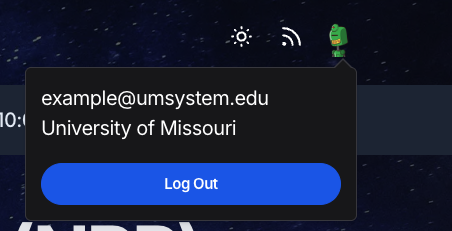
-
Please enter your email in this form so we can give you access to the resources for the tutorial today:
Workshop Recommendations
To make the most of this workshop, we strongly encourage active participation throughout the entire session, including participating in the hands-on exercises and asking questions throughout the workshop.
If you are stuck or not sure on something at any point of the workshop, please let us know and we would be happy to help.
Participation can be accomplished by using the sticky notes or raising hands.
Links and Steps
During the Workshop
Open these at the start:
- National Research Platform (NRP) Homepage
- NRP Documentation
- GitHub Repository for Today
- Sign into the workshop and make sure setup is complete
When we move to the hands-on activities
- Sign into the GP-ENGINE JupyterHub Portal: https://gp-engine.nrp-nautilus.io/
- Select
Stack Datascience + K8sand clickStart. This process will take a few minutes. - Put up your yellow sticky note when you see it is complete.
Want to learn how to setup your own instance for a class or lab?
Check out the "Deploying JupyterHub" documentation: NRP Jupyter Hub Docs
Cloning the repository:
git clone https://github.com/MUAMLL/gp-engine-tutorials.git