Slurm Reservations
Slurm reservations are used to reserve nodes or a subset of resources for a specific user or group of users.
Purpose
They are typically used for a few purposes on HCC resources. Commonly they are used for workshops and events ran by or in partnership with HCC to ensure little to no waittime for participants.
Reservations are also used to hold worker nodes for maintenance purposes to prevent jobs from starting and potentially being cancelled once the maintenance period begins. This is often done cluster wide if a downtime is scheduled, but may be limited to specific nodes if the maintenance is limited.
More information on downtime reservations available on the FAQ page
Reservations can also be used to partition leased or owned worker nodes on a per-request basis. This may be done if a group has multiple nodes that are to be used for different projects or funding sources. To arrange this, please reach out to HCC at hcc-support@unl.edu.
Submitting a job with a reservation
Slurm by default will not submit a job to a reservation unless explicitly instructed to do so.
When submitting to a reservation, you will need to ensure that the correct partition and QoS is used. Most reservations will be in a specific partition with the normal QoS.
A reservation request will need to be removed from Open OnDemand or your job submission script once the reservation has expired on the cluster.
Batch Job Submission
When a job is submitted through the batch method, a reservation can be applied through one of two methods.
The first is with a SBATCH parameter in the submit script.
#SBATCH --reservation=reservation_name
Alternatively it can be applied as part of the submittion command.
sbatch --reservation=reservation_name my_job.submit
Open OnDemand
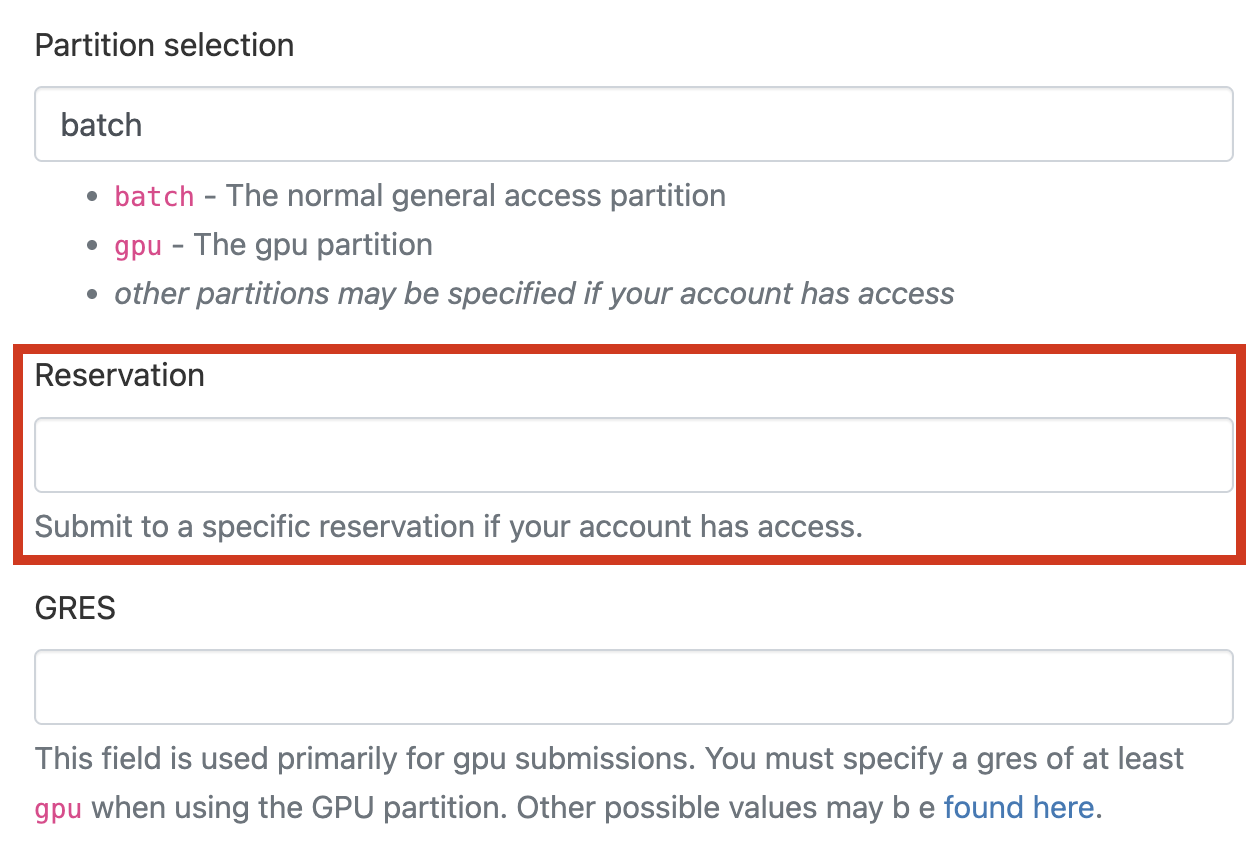
Reservations can also be applied to Open OnDemand Interactive Apps in the resource request form.